1. The exhibition in the guildhall was displaying bands and artists that have performed in Portsmouth through the 1950s to the 2000s. This includes the guildhall itself.
2. Music lovers and people that are interested in Portsmouth history should visit the museum as they will find the past of music fascinating.
3. My personal highlights was the posters and memorabillia of the old artists from the past decades. Also photos of the acts performing in the guildhall added to the history and prestige of the venue.
4. The main thing i learnt was that so many different acts from the indies to the most famous no matter what genre have all come to Portsmouth and performed here.
5. This tour will be a inspiration for my design mainly the colours and layout.
6. To begin this review i want to point out that i thoroughly enjoyed this exhibition of music in Portsmouth. This museum ticked a box straight in terms of being a good museum in that they straight away made us feel at home making us realise we can relax and take our time when looking around at all the memorabilia. One of the tour guides gave us a very interesting tour of the recording studios showing the group how they record and play there music. There was also a brief history lesson about the man who set up the museum it turns out he was once a unofficial performer for Queen while the tour guides was once roadies. The amount of pictures and items on show was overwhelming to say the least with so much on display that i dont think even after touring the museum 3 times i saw everything. We even got to see a video showing the performance of one of the tour guides with famous acts that performed in the Guildhall. My favourite part of this exhibition was finding out that some of my favourite acts had actually performed here at one point and definitely has attracted my attention in terms of watching a show at the Guildhall in the future. I also loved the detailed information on the different decades of music from the 1950s onwards. I felt that the layout of the museum was absolutely fantastic as it was easy to follow and you didn't get lost when looking for a specific thing. Overall the experience was really good and i 100% recommend that everyone who is a fan of music and lives in Portsmouth come and visit this museum i know that ill definitely be pestering my friends and family to visit.
7. My tweet is:Amazing experience at Portsmouth Music museum definitely a must visit!anyone that is a fan of music please come visit its a must for all music fans!.
Tuesday, 23 February 2016

Production report about graphics
1. 210x297mm is the equivalent of a A4 peice of paper this is traditionally used to create articles and smaller designs. A4 is the traditional size for work documents.

2. 29.7x42.0cm is the equivalent of A3 which is used for posters and various other large designs. It is the size that is normally associated with art and design.

3. The term bleed is where a print goes beyond the edges of the paper that the design or print is being printed.
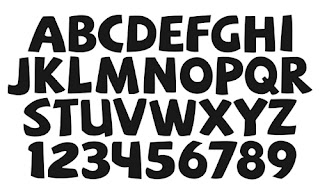
4. The reason you should outline fonts when sending a document to printer is so that the font can be printed out in a resolution that the printer is able to handle best.
5. When sending a file to the printer the colour setting should be set to cmyk ( cyan,magenta, yellow and key )

6. A serif and a sans serif are both typefaces that also act as a decorative line a serif is a normal small decorative line while a sans serif is a category of lines that do not use serifs.

7. Max Miedlinger created the helvetica type face font.

8. RGB stands for RED, GREEN, BLUE.

9. A jpeg is a format that is used to compress a file in order to be able to send through email.

10. PDF stands for Portable Document Format
11. A gif is a small file that is used for websites and animation

12. We use EPS is a standard graphics file that is used to exchange images and drawings it is a high resolution file with loads of data.
13. DPI ( dots per inch) it is something that is commonly mixed up with ppi in photography.

14. the minimum resolution for art work is 300 ppi.
15. Illustrator is a vector based program.

16. Photoshop increases the quality of older photos while also potentially adding aspects to photos that previously wasn't there like colour.

17. Indesign is a file that is used to create magazine documents and other forms of documents and even leaflets.

18. A juniour graphic designer is typically on 19k a year.
19. A starting salary for a senior graphic designer is on a minimum of 30-35k a year.
20. a creative director is on 93-130k a year.
2. 29.7x42.0cm is the equivalent of A3 which is used for posters and various other large designs. It is the size that is normally associated with art and design.
3. The term bleed is where a print goes beyond the edges of the paper that the design or print is being printed.
4. The reason you should outline fonts when sending a document to printer is so that the font can be printed out in a resolution that the printer is able to handle best.

5. When sending a file to the printer the colour setting should be set to cmyk ( cyan,magenta, yellow and key )
6. A serif and a sans serif are both typefaces that also act as a decorative line a serif is a normal small decorative line while a sans serif is a category of lines that do not use serifs.

7. Max Miedlinger created the helvetica type face font.
8. RGB stands for RED, GREEN, BLUE.

9. A jpeg is a format that is used to compress a file in order to be able to send through email.
10. PDF stands for Portable Document Format
11. A gif is a small file that is used for websites and animation
12. We use EPS is a standard graphics file that is used to exchange images and drawings it is a high resolution file with loads of data.
13. DPI ( dots per inch) it is something that is commonly mixed up with ppi in photography.

14. the minimum resolution for art work is 300 ppi.
15. Illustrator is a vector based program.

16. Photoshop increases the quality of older photos while also potentially adding aspects to photos that previously wasn't there like colour.

17. Indesign is a file that is used to create magazine documents and other forms of documents and even leaflets.

18. A juniour graphic designer is typically on 19k a year.
19. A starting salary for a senior graphic designer is on a minimum of 30-35k a year.
20. a creative director is on 93-130k a year.
Wednesday, 10 February 2016
Magazine Questionnaire
The chosen genre of my magazine is gaming.
1. What kind of gamer would you consider yourself? a) Hardcore gamer b) Casual Gamer c) Neutral
2. What genre of game is your favourite? a) Action b) Horror c) Simulation d) RPG e) Sports
f) Puzzle
3. What type of game style do you like best? a) First Person b) Third Person c) Real Time Strategy
d) Point And Click
4. Do you read gaming magazines? a) yes b) no c) sometimes
5. If yes what is your favourite? a) CVG b) Playstation Official Magazine c) XBOX Official d) Other
6. Do you read articles on gaming websites? a) yes b) no c) sometimes
7. if yes what website do you view? a) What Culture b) CVG c) IGN d) Game-spot e) Other
8. What is your favourite game to play?
9. Why is it your favourite?
10. what is your favourite console or system to play on? a) PC b) Playstation systems c) xbox systems d) nintendo systems
11. What is your preferred way to read gaming related content? a) magazine b) online
12. Please explain why?
13. Finally what do you prefer? a) retro games b) modern games c) both
https://www.surveymonkey.co.uk/r/D7TC6X3 link to online survey Create your own user feedback survey
1. What kind of gamer would you consider yourself? a) Hardcore gamer b) Casual Gamer c) Neutral
2. What genre of game is your favourite? a) Action b) Horror c) Simulation d) RPG e) Sports
f) Puzzle
3. What type of game style do you like best? a) First Person b) Third Person c) Real Time Strategy
d) Point And Click
4. Do you read gaming magazines? a) yes b) no c) sometimes
5. If yes what is your favourite? a) CVG b) Playstation Official Magazine c) XBOX Official d) Other
6. Do you read articles on gaming websites? a) yes b) no c) sometimes
7. if yes what website do you view? a) What Culture b) CVG c) IGN d) Game-spot e) Other
8. What is your favourite game to play?
9. Why is it your favourite?
10. what is your favourite console or system to play on? a) PC b) Playstation systems c) xbox systems d) nintendo systems
11. What is your preferred way to read gaming related content? a) magazine b) online
12. Please explain why?
13. Finally what do you prefer? a) retro games b) modern games c) both
https://www.surveymonkey.co.uk/r/D7TC6X3 link to online survey Create your own user feedback survey
Thursday, 4 February 2016
Gaming Journalism logo/business card Samuel West
The area i want to work in is gaming journalism. Gaming journalism is typically a mix between both formal and informal as it is typically a relaxed environment and has a cool image but the content created is written in a formal way. Also gaming journalism can be very creative if you've seen a article it is filled with colour and images. Gaming journalism is its own big area in journalism and attracts a large group of people wanting to get into it.

As you can see above is my gaming journalism logo expressing the career i want to get into. As well as my logo this also acts as my business card.
Thursday, 28 January 2016
Media Portfolio
1. Freelancer.co.uk, Blurb.com, Weebly.com
2. The way that the websites are laid out is what attracted me and also the reputation that these 3 sites have.
3. On freelancer if your work is promoted through that site people will see the work and want to employ you also you can employ people yourself. Blurbs unique selling point is that it helps young writers promote there book through this portfolio. Can also give you statistics on sales etc. Weekly allows you to create a website and promote it.
4. Freelancer is free to sign up and upload but requires a premium membership in order to promote and get the best results. Blurb requires payments in order to create the books and weebly charges for websites being put officially online and promoted but is free to create websites. There is no trial period.
5. Freelancer allows you to add a set amount of money into your account similar to a bank account while blurb allows you to pay for separate products like a shopping site. Weebly has different charges depending on what type of website you create.
6. Freelancer allows you to upload all sorts of different projects from powerpoint to actual work while blurb allows you to create and upload images to go onto the book. Weebly allows you to upload images and videos onto your website.
7. Freelancer allows you to look at projects before you make a bid for them while blurb allows you to surf and look for examples as inspiration. Weebly has a inspiration centre showing other users websites that was created through weebly.
8. Here are examples of the work i liked on the 3 portfolio sites.


 What i liked about all 3 examples was the professionalism behind them and how much effort was put in you can really see this is a massive passion for the creators.
9. Out of the 3 companies the one that i rank highest is Weebly i really love how easy it is to use i have used this site to create a website and the website was really good quality i also loved the layout of the website. The other 2 sites i like as well i really enjoy the idea behind freelancer posting your work and having people appreciate the work and even bidding to buy it. Blurb has a cool creative idea creating books and magazines and designing it how you wish.
10. Overall my favourite site is Weebly as explained because of the lay out but as someone who wants to get into journalism or potentially teaching my most used site would probably be freelancer due to the ability to make money from your work.
2. The way that the websites are laid out is what attracted me and also the reputation that these 3 sites have.
3. On freelancer if your work is promoted through that site people will see the work and want to employ you also you can employ people yourself. Blurbs unique selling point is that it helps young writers promote there book through this portfolio. Can also give you statistics on sales etc. Weekly allows you to create a website and promote it.
4. Freelancer is free to sign up and upload but requires a premium membership in order to promote and get the best results. Blurb requires payments in order to create the books and weebly charges for websites being put officially online and promoted but is free to create websites. There is no trial period.
5. Freelancer allows you to add a set amount of money into your account similar to a bank account while blurb allows you to pay for separate products like a shopping site. Weebly has different charges depending on what type of website you create.
6. Freelancer allows you to upload all sorts of different projects from powerpoint to actual work while blurb allows you to create and upload images to go onto the book. Weebly allows you to upload images and videos onto your website.
7. Freelancer allows you to look at projects before you make a bid for them while blurb allows you to surf and look for examples as inspiration. Weebly has a inspiration centre showing other users websites that was created through weebly.
8. Here are examples of the work i liked on the 3 portfolio sites.
9. Out of the 3 companies the one that i rank highest is Weebly i really love how easy it is to use i have used this site to create a website and the website was really good quality i also loved the layout of the website. The other 2 sites i like as well i really enjoy the idea behind freelancer posting your work and having people appreciate the work and even bidding to buy it. Blurb has a cool creative idea creating books and magazines and designing it how you wish.
10. Overall my favourite site is Weebly as explained because of the lay out but as someone who wants to get into journalism or potentially teaching my most used site would probably be freelancer due to the ability to make money from your work.
Wednesday, 27 January 2016
Magazine assignment
Magazine genres: Sport, gaming, history, science, biology, homes and gardens, food, tv.


My magazine genre: Video game journalism
List of video game magazines: Official XBOX magazine, Edge Magazine, Official Playstation magazine, PC gamer, Games Master, Xbox World.
Chosen magazine front covers:


From these 6 magazine front covers you can see there are big similarities first of all they are all dominated by one main game that is then surrounded by little bits of information about what else is in the magazine. As well as this theres the obvious similarities such as a barcode and the release date. They all use a striking image of the protagonist so that readers can instantly recognise what the magazine is covering in this issue. Also there is a price tag either on the bar code or somewhere else on the cover. In terms of differences first of all the games there mainly covering this mainly due to the dates they came out. Another difference is the way that there dates and prices are laid out some are in the bottom corner and others are at the top corner. Barcode is also a difference some magazines place them in the front most magazines place the barcode on the back.
Tuesday, 26 January 2016


Subscribe to:
Posts (Atom)